






Does your treadmill speed up or slow down even when you leave the setting alone? The problem usually comes from the belt, lubrication, power, sensor, or motor.
The quick answer is simple: check the walking belt, deck lubrication, drive belt, power supply, speed sensor, and motor system. Start with the easy checks before assuming something major has failed.
As the founder and chief designer of YR Fitness, I have spent decades working with treadmill design and commercial fitness equipment. In my experience, inconsistent speed is often caused by a small maintenance issue that gets worse over time.
Below are the seven most common causes and what you should check first.
- 1. The Walking Belt Is Too Loose
- 2. The Belt and Deck Need Lubrication
- 3. The Drive Belt Is Loose or Worn
- 4. The Treadmill Is Not Getting Stable Power
- 5. The Speed Sensor Is Dirty or Misaligned
- 6. The Motor or Motor Controller Has a Problem
- 7. The Belt or Deck Is Worn
- 8. What Should You Check First?
- Conclusion
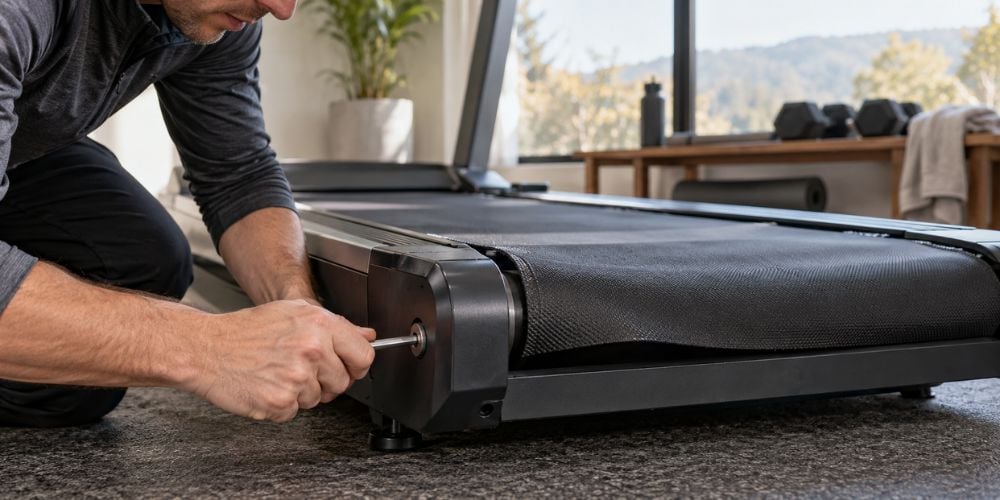
1. The Walking Belt Is Too Loose
A loose walking belt can slip for a moment when your foot lands. That can feel like the treadmill slows down and suddenly catches up again.
You may notice:
- The belt hesitates under your foot
- A slipping feeling while running
- The treadmill runs normally when nobody is on it
- The problem gets worse at faster speeds
Horizon Fitness also notes that a slipping sensation can indicate that the running belt needs tensioning. Its running belt tension guide also warns against overtightening because that can increase wear.
So, should you just tighten it more? No. Adjust it gradually and follow the instructions for your specific treadmill.
Too much tension can put unnecessary stress on the rollers and other components.
2. The Belt and Deck Need Lubrication
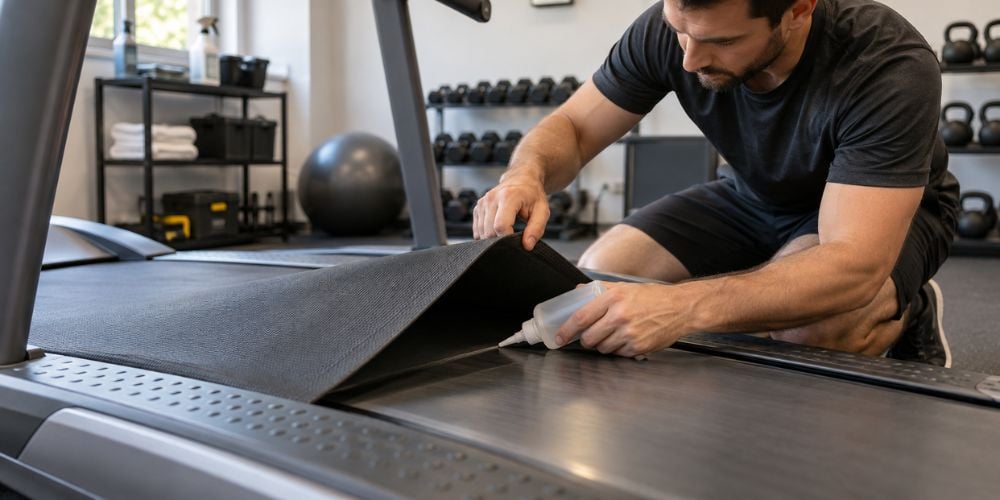
The walking belt slides across the deck underneath it. When those surfaces become too dry, friction increases and the motor has to work harder.
You may notice:
- The treadmill works better without anyone on it
- Speed drops once you start walking
- The belt or deck feels unusually warm
- The motor sounds like it is working harder
I often check lubrication early because it is one of the easier causes to rule out.
Only use the lubricant specified by your treadmill manufacturer. Do not assume that every treadmill needs the same silicone product.
3. The Drive Belt Is Loose or Worn
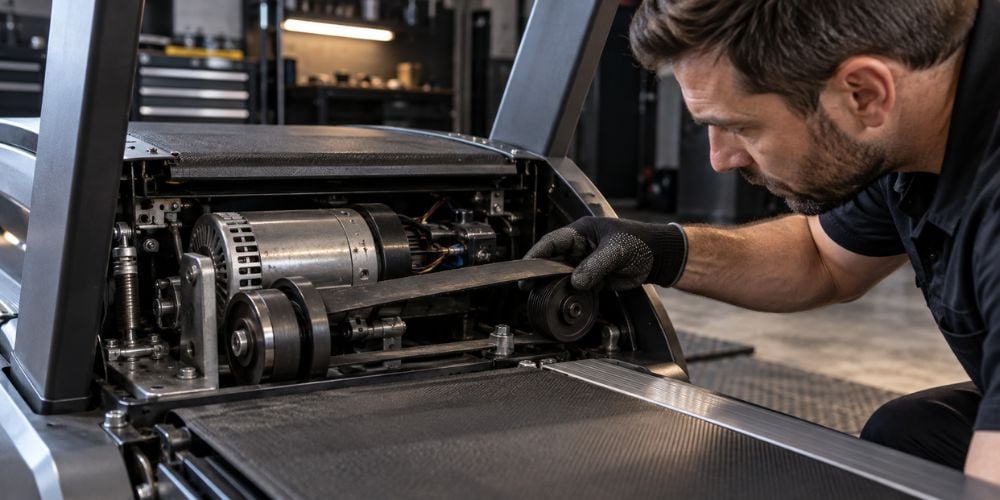
There is another belt inside the treadmill called the drive belt. It transfers power from the motor to the front roller.
If it becomes loose, stretched, or worn, the walking belt may no longer move smoothly.
Possible signs include:
- Jerky movement
- Sudden speed changes
- Slipping during acceleration
- Squeaking or unusual noises
Horizon includes both improper running-belt tension and improper drive-belt tension among possible causes of fluctuating treadmill speed in its erratic-speed troubleshooting guidance.
This problem can feel very similar to a loose walking belt. The difference is that the drive belt sits inside the motor area.
If repeated belt, motor, or speed problems are making you consider a replacement, we design YR Fitness commercial cardio equipment for frequent daily training. You can compare your current treadmill with a heavier-duty option before deciding whether another repair makes sense.
4. The Treadmill Is Not Getting Stable Power
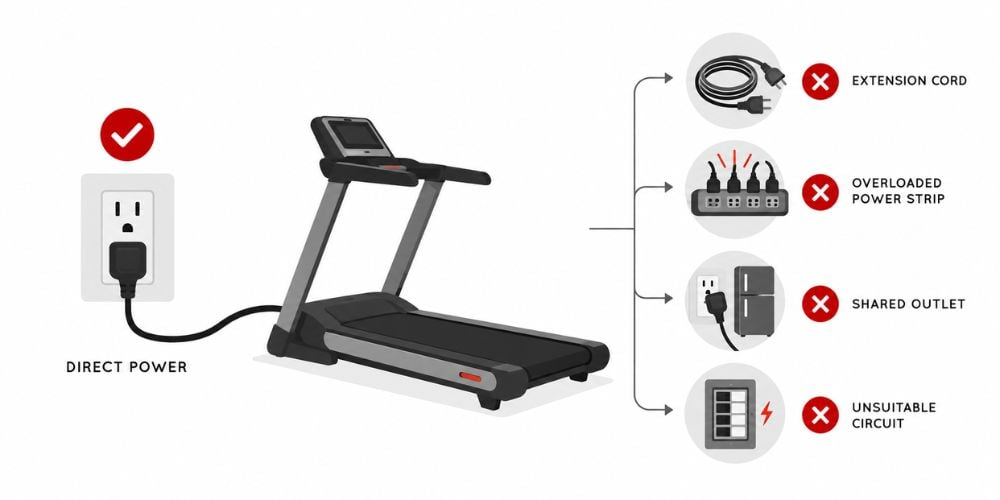
A treadmill motor needs a steady electrical supply. Poor power delivery can sometimes lead to erratic operation, speed changes, or shutdowns.
Check whether your treadmill is connected through:
- An extension cord
- An overloaded power strip
- An outlet shared with high-power appliances
- An unsuitable electrical circuit
Here is why this matters: treadmill electrical requirements can be quite specific.
Horizon also lists inadequate power as one possible cause when treadmill speed fluctuates.
Does the speed change when another appliance turns on? If so, the electrical supply deserves a closer look.
If you suspect an outlet or circuit problem, have an electrician check it rather than experimenting with the wiring yourself.
5. The Speed Sensor Is Dirty or Misaligned
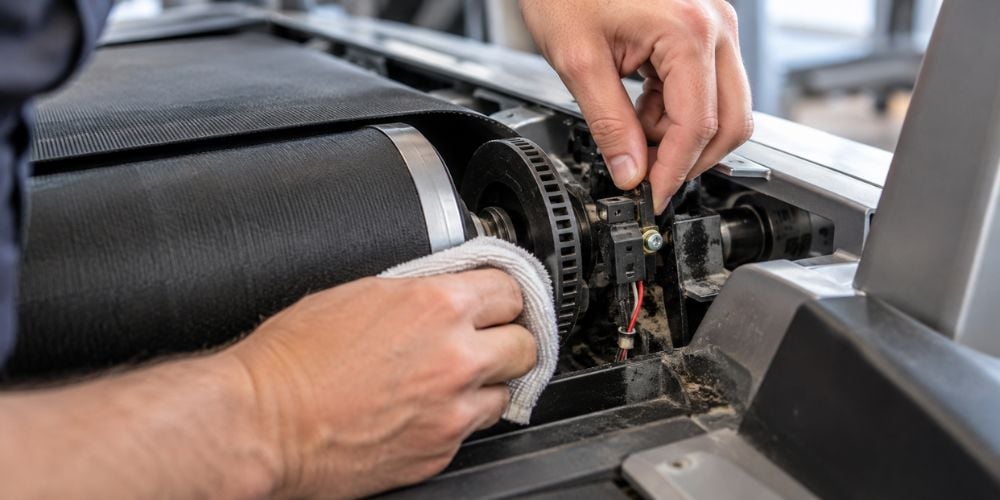
Your treadmill needs feedback about how fast the belt is actually moving. The speed sensor helps provide that information to the control system.
If the sensor is dirty, loose, damaged, or incorrectly positioned, speed control can become unreliable.
Possible signs include:
- The displayed speed does not seem right
- The belt speeds up or slows down unexpectedly
- The treadmill struggles to maintain one pace
- An error code appears
Horizon specifically links its E2 error with erratic speed. Its troubleshooting instructions include checking the speed sensor connection and, on optical sensors, inspecting the sensor for dust or debris.
Sometimes cleaning or correctly positioning the sensor is enough.
However, sensor designs differ between treadmills. Check your manual before moving or removing anything.
6. The Motor or Motor Controller Has a Problem
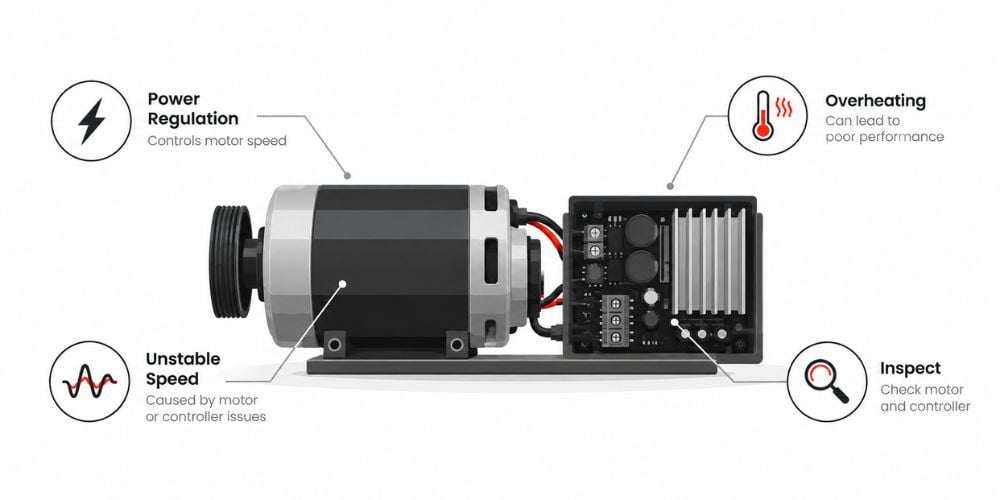
Check the simple things, and does the speed still change? The motor or motor controller may be the next suspect.
The controller regulates power going to the drive motor. A problem here can make the treadmill struggle to hold a steady speed.
Watch for:
- Speed changing without input
- Trouble reaching higher speeds
- The belt slowing after several minutes
- Burning smells
Horizon troubleshooting documentation lists a failed motor control board and failed drive motor among possible causes of erratic or incorrect treadmill speed.
In my design experience, this is usually where DIY troubleshooting should stop.
If you smell burning, see electrical damage, or experience uncontrolled acceleration, turn the treadmill off and have it inspected by a qualified technician.
7. The Belt or Deck Is Worn
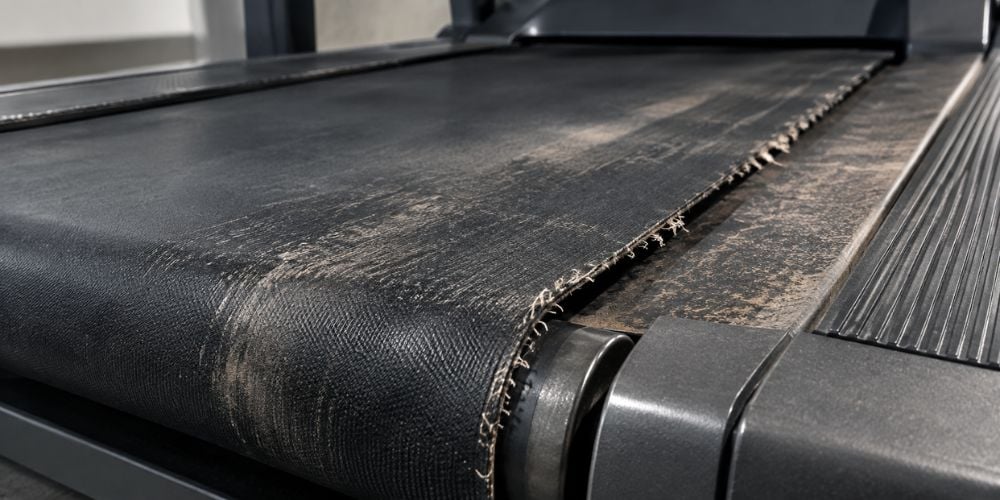
Sometimes lubrication does not solve the problem because the walking belt or deck is already worn.
As these surfaces deteriorate, friction can increase. The motor then has to work harder to keep the belt moving at the selected speed.
Look for:
- Frayed belt edges
- Cracks or damaged surfaces
- Rough movement
- Excessive heat
- Increasing resistance
- Speed dropping even after lubrication
Precor’s preventive maintenance guidance also calls for regular inspection of the running belt and deck, including belt tension, tracking, and alignment.
A badly worn belt or deck usually needs replacement rather than another adjustment.
Continuing to use worn surfaces can also put more strain on the driving system.
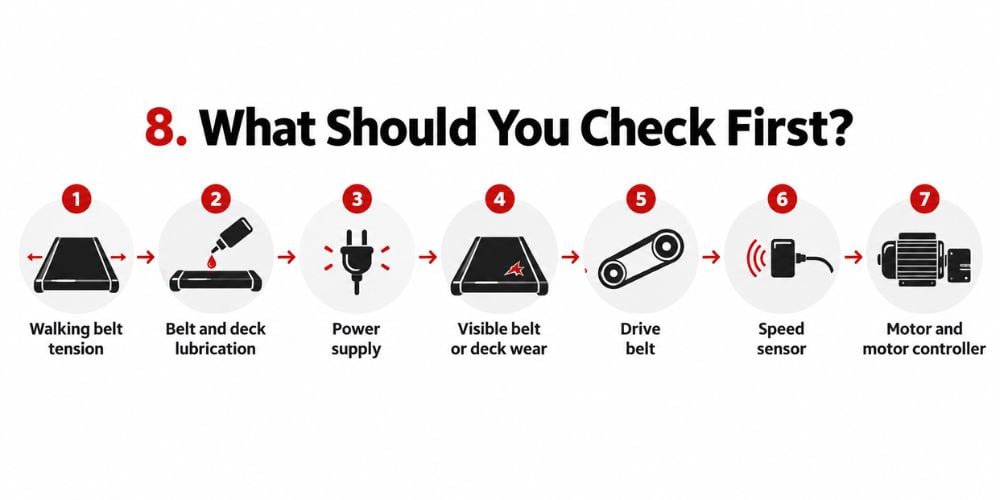
8. What Should You Check First?
Start simple.
Check these in order:
- Walking belt tension
- Belt and deck lubrication
- Power supply
- Visible belt or deck wear
- Drive belt
- Speed sensor
- Motor and motor controller
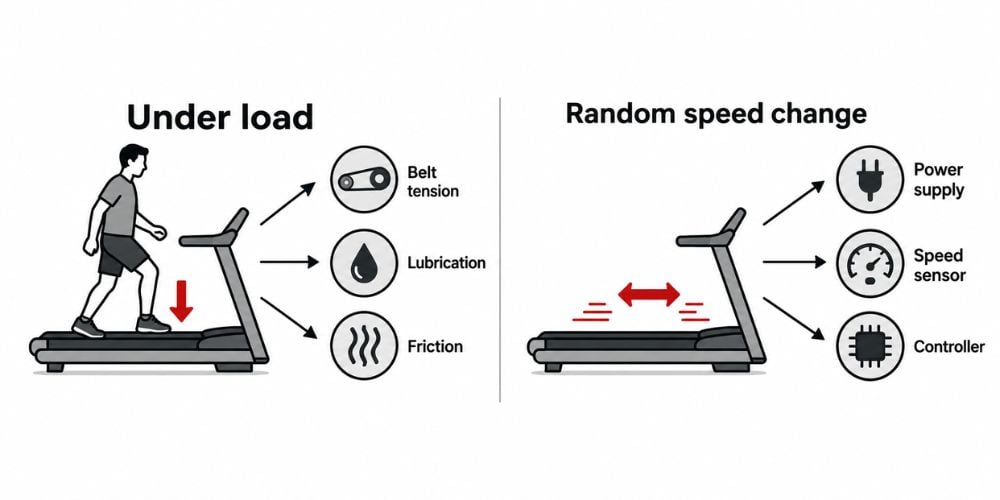
If the treadmill mainly slows when you step on it, look first at belt tension, lubrication, and friction.
If the speed changes randomly even without a change in load, look more closely at the power supply, speed sensor, or controller.
That difference can save you a lot of unnecessary troubleshooting.
Conclusion
Inconsistent treadmill speed can come from a loose belt, poor lubrication, a drive-belt problem, unstable power, a faulty sensor, or worn components. Start with the easy checks before assuming the motor has failed.
Stop using the treadmill if you notice severe slipping, burning smells, electrical problems, sudden stopping, or uncontrolled speed changes. Those signs deserve professional inspection.
If you want a treadmill designed for steadier performance and frequent training, at YR Fitness, we can help you explore durable cardio equipment built for reliable everyday use.
Related articles: