






Does your treadmill belt keep moving left or right after you center it? The cause is usually a small alignment, tension, leveling, or wear issue.
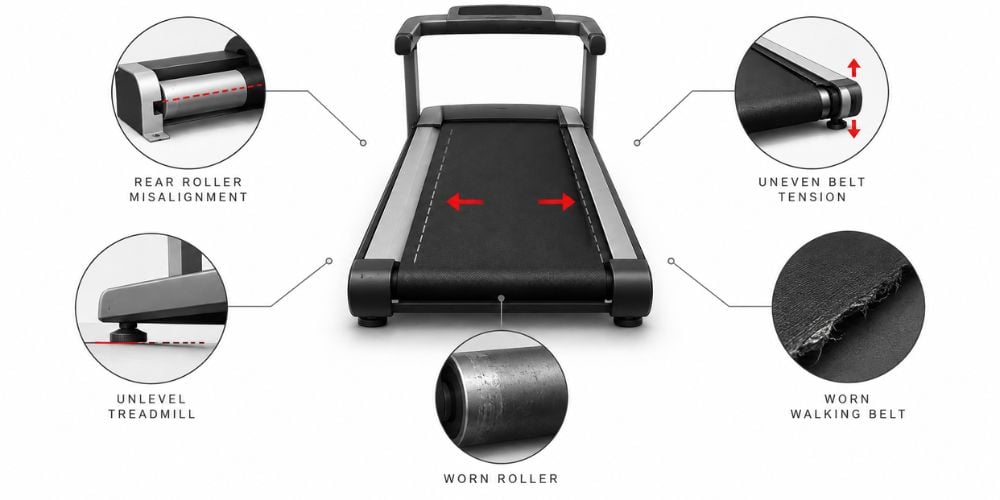
The quick fix is to check the rear roller, belt tension, floor level, belt condition, and rollers. Start with these before assuming the treadmill needs a major repair.
As the founder of YR Fitness, I have spent decades designing and working with fitness equipment. I often see belt tracking problems get worse when people keep tightening the belt without checking the real cause.
This guide will show you the main causes and what to check first. Use the quick table below to find the issue that matches your treadmill.
1. The Rear Roller Is Misaligned
The rear roller is one of the first things I would check.
Your treadmill belt travels around the front and rear rollers. If the rear roller sits slightly out of position, the belt can gradually move toward one side.
Common signs include:
- The belt starts centered but slowly moves sideways
- One edge gets close to the side rail
- The belt rubs against one side
- The problem returns each time you use the treadmill
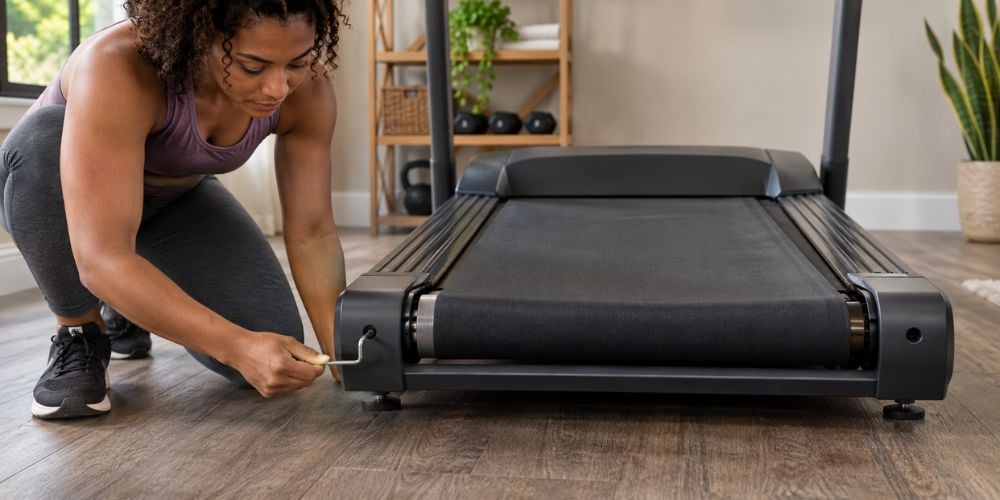
Most treadmills have adjustment bolts on both sides of the rear roller. These bolts affect both roller position and belt tension.
How much should you turn them?
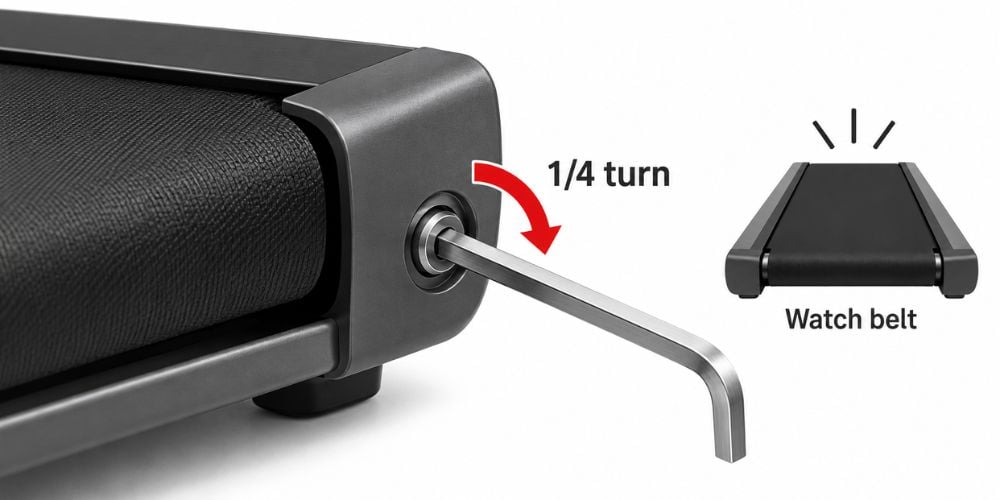
Start small. A quarter turn is usually enough to see whether the belt responds.
For example, Horizon Fitness recommends making belt adjustments in roughly ¼ to ½ turn increments because even a small change can move the belt noticeably. Its running belt adjustment guide also recommends watching the belt move back toward the center before adjusting again.
Do not turn the bolt several times at once.
2. The Belt Tension Is Uneven
What if the belt is centered but still slips or pulls sideways?
Check the tension.
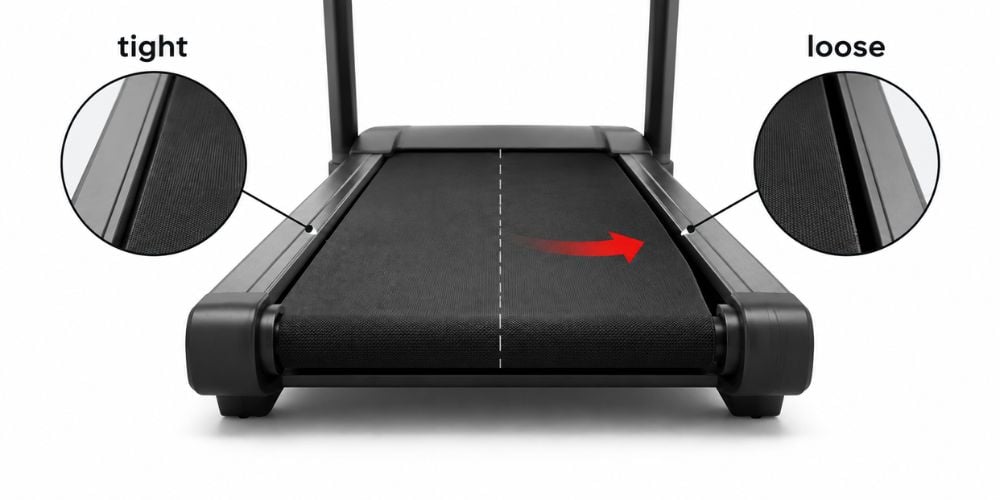
Both sides should have reasonably even tension. If one side becomes tighter than the other, the belt can start moving away from the center.
This often happens after one rear adjustment bolt has been turned much more than the other.
A loose belt may:
- Slip under your feet
- Shift during acceleration
- Feel unstable while running
- Move away from the center
But do not solve every problem by tightening the belt.
Too much tension adds unnecessary stress to the belt and related parts. Life Fitness warns in its running belt service guidance that an overtightened belt can even damage the belt seam.
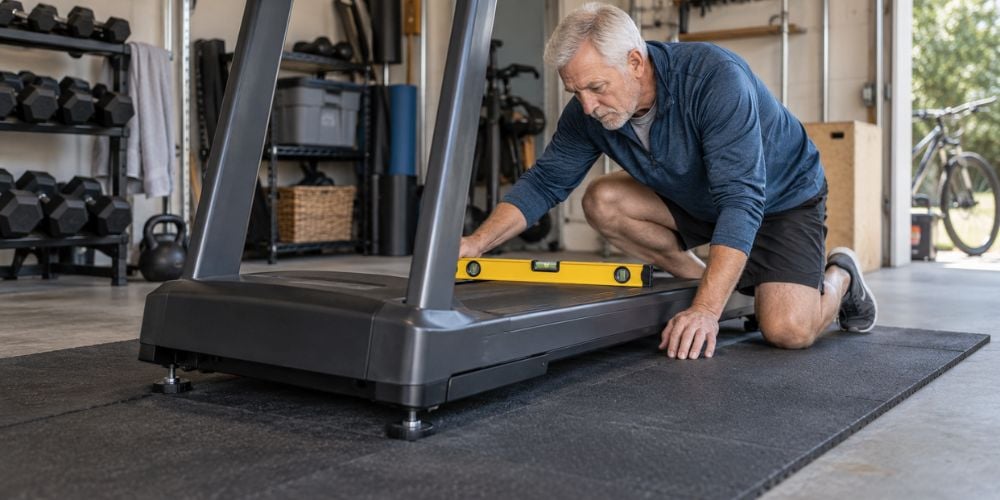
3. The Treadmill Is Not Level
Sometimes the belt is not the real problem at all.
Is your treadmill sitting flat?
A machine that leans slightly can affect how the belt tracks. Horizon Fitness specifically recommends checking that the treadmill is on a level surface before adjusting the running belt.
Look closely if your treadmill sits on:
- Uneven flooring
- Thick carpet
- Rubber flooring with different thicknesses
- A slightly sloped floor
- An unstable treadmill mat
Have a level nearby? Use it.
If not, gently press down on each corner and see whether the treadmill rocks.
If your machine has adjustable leveling feet, use them to stabilize it.
I would always check this before repeatedly changing the rear roller position. Otherwise, you may keep correcting the belt while leaving the actual cause untouched.
4. The Walking Belt Has Stretched or Worn Unevenly
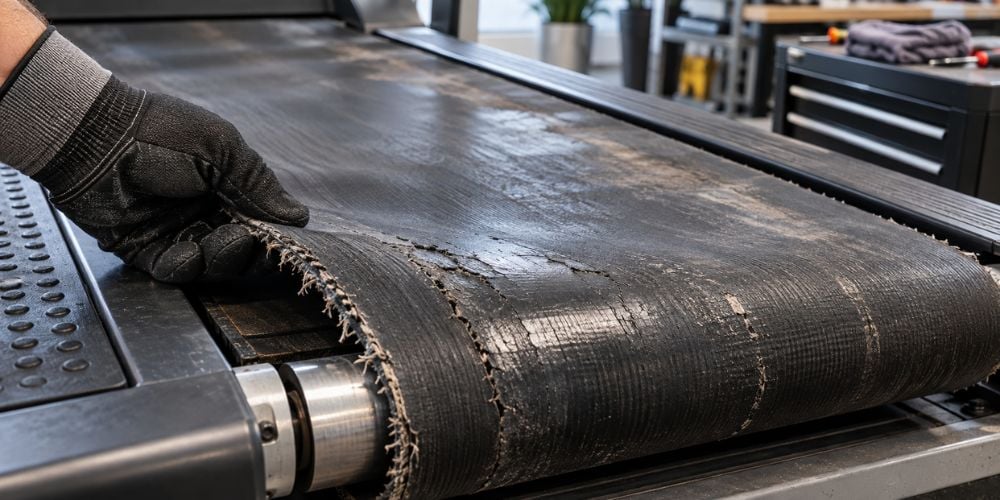
A treadmill belt wears as you use it.
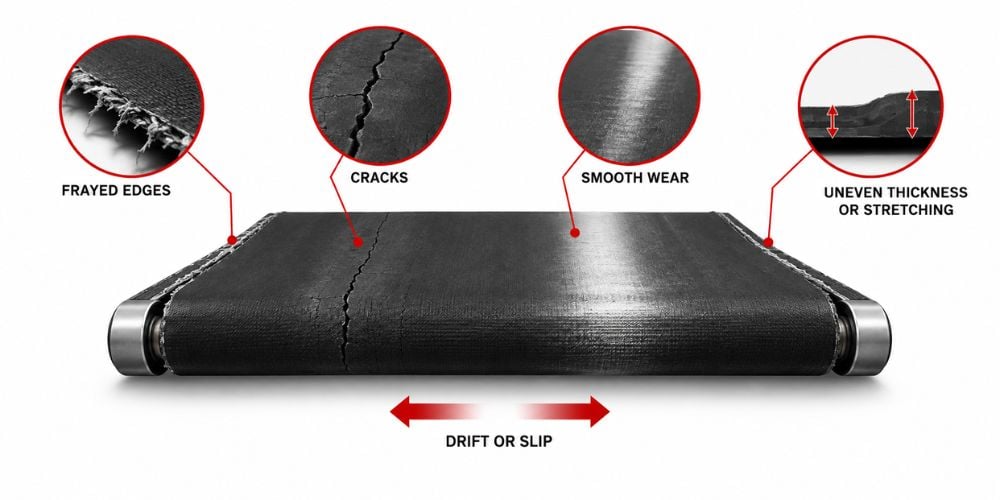
Over time, it can stretch, become smooth, or develop damage around the edges. Uneven wear can also make proper tracking harder.
Look for these warning signs:
- Frayed edges
- Cracks
- Smooth or shiny areas
- Uneven thickness
- Side-to-side stretching
- Slipping
- A belt that keeps drifting after adjustment
How can you tell whether wear is the real problem?
Watch what happens after you center the belt.
If it looks correct at first but starts moving again after several workouts, you may be dealing with wear rather than simple alignment.
Horizon Fitness recommends using a visual belt inspection to look for problems such as fraying, curling, rips, and seam damage when deciding whether replacement is needed.
If repeated belt adjustments are becoming part of your normal workout routine, compare the repair effort with the condition of the whole machine. At YR Fitness, we build our commercial treadmills for repeated daily use, so you can compare a heavier-duty option before deciding whether another repair is worth it.
5. The Front or Rear Roller Is Worn
What if the belt itself still looks fine?
Check the rollers.
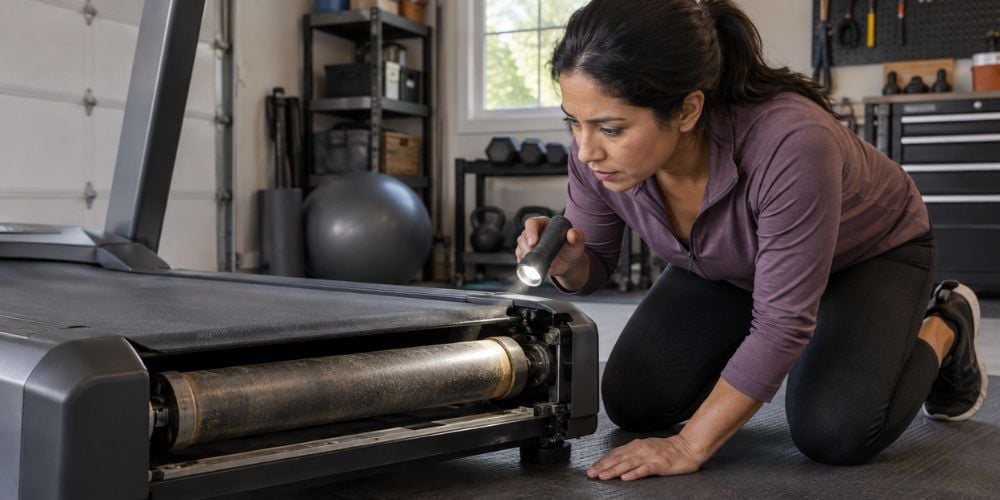
The front and rear rollers turn constantly while the treadmill is running. Wear around the roller or bearing area can affect how smoothly the belt travels.
Watch for:
- Grinding sounds
- Clicking noises
- Vibration
- Uneven belt movement
- Repeated tracking problems
- A roller that does not rotate smoothly
Before checking anything underneath, turn the treadmill off and unplug it.
Then inspect the visible roller area for looseness, damage, or anything that looks uneven.
Do not open electrical or motor components unless you know how to service them safely.
If you see obvious mechanical damage, or the belt keeps drifting even after correct alignment and tension, servicing the roller may make more sense than another adjustment.
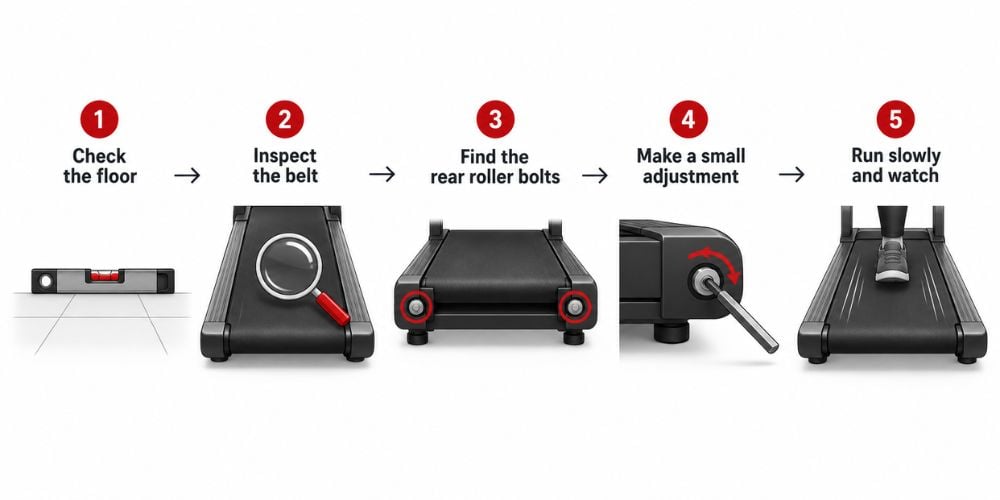
6. How to Fix a Treadmill Belt That Moves to One Side
If the treadmill and belt are still in good condition, try correcting the tracking step by step.
Step 1: Check the Floor
Put the treadmill on a flat, stable surface.
Fix any rocking or leaning before adjusting the belt.
Step 2: Inspect the Belt
Turn off and unplug the treadmill.
Check for:
- Fraying
- Cracks
- Loose sections
- Uneven wear
- Damage along either edge
Badly worn belt? Stop here.
Adjustment may give you only a temporary result.
Step 3: Find the Rear Roller Adjustment Bolts
Look near both ends of the rear roller.
Most machines use an Allen-style adjustment tool, but use the tool specified in your treadmill manual.
Step 4: Make One Small Adjustment
Turn the correct rear roller bolt a small amount.
Start with about a quarter turn.
My approach is simple:
Adjust a little → watch the belt → adjust again only if needed.
Manufacturer guidance follows the same general principle. Horizon notes that even a ¼ to ½ turn can move the belt significantly.
Step 5: Run the Treadmill Slowly
Run the treadmill without standing on it.
Watch the belt.
Is it slowly moving back toward the center?
If yes, let it respond before touching the bolt again.
Horizon uses about 3 mph / 4.8 km/h in its own belt-alignment procedure, although you should follow the instructions for your specific treadmill.
Final Thoughts
If your treadmill belt keeps moving to one side, start simple. Check the rear roller alignment, tension, floor level, belt condition, and rollers before assuming the treadmill has a major fault.
Make small adjustments and give the belt time to respond. If it keeps drifting after correct adjustment, wear may be the real problem.
If your current machine has reached the point where belt repairs keep coming back, it may be worth comparing replacement options instead.
You can explore treadmill options from YR Fitness and see whether moving to a heavier-duty machine makes more sense for your training setup.
Related articles: