





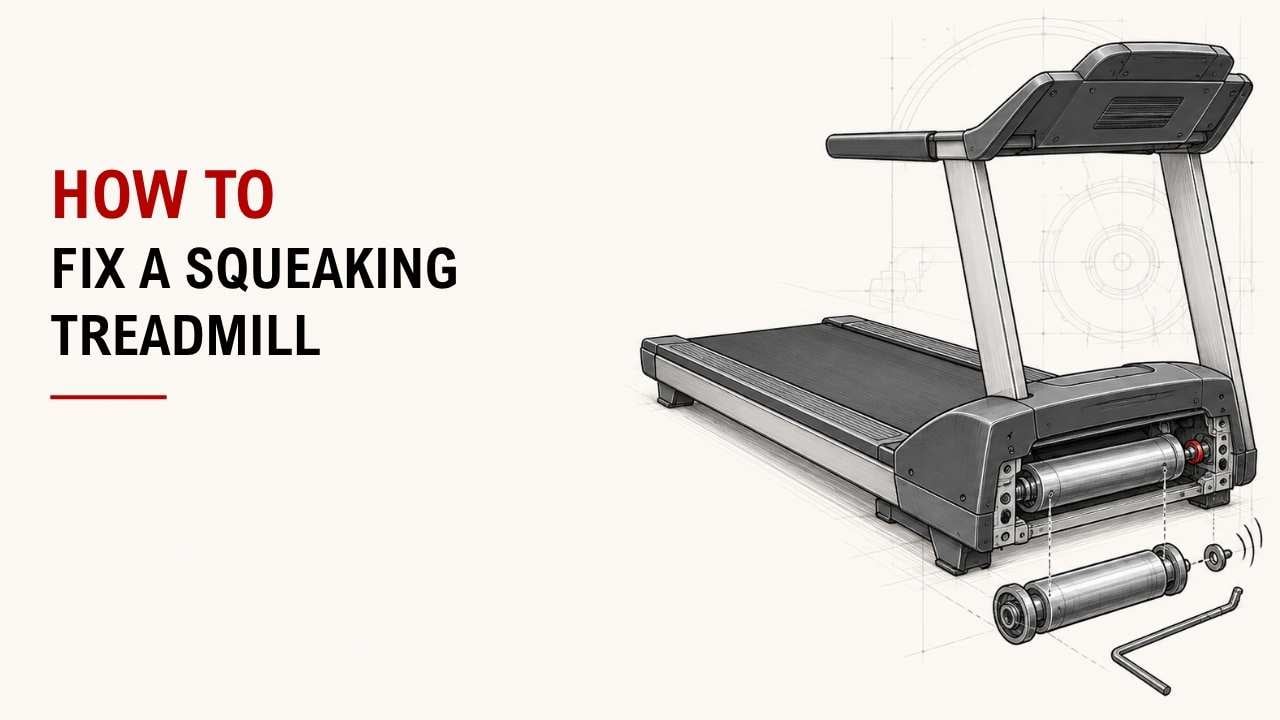

Does your treadmill squeak when you walk or run? The good news is that the cause is often simple.
Start by checking the belt, lubrication, alignment, loose bolts, rollers, and drive system. These are the most common places where squeaking starts.
As a Machinery & Structural Engineering expert at YR Fitness, I work closely with treadmill frames, belts, rollers, motors, and other mechanical parts. This hands-on experience helps me understand where treadmill noises usually come from and how to fix them safely.
Below, I’ll show you the areas to check and what to do with each one. Start from the top, and you may find the problem within the first few steps.
1. Find Where the Squeaking Is Coming From
Before adjusting anything, find the source of the noise.
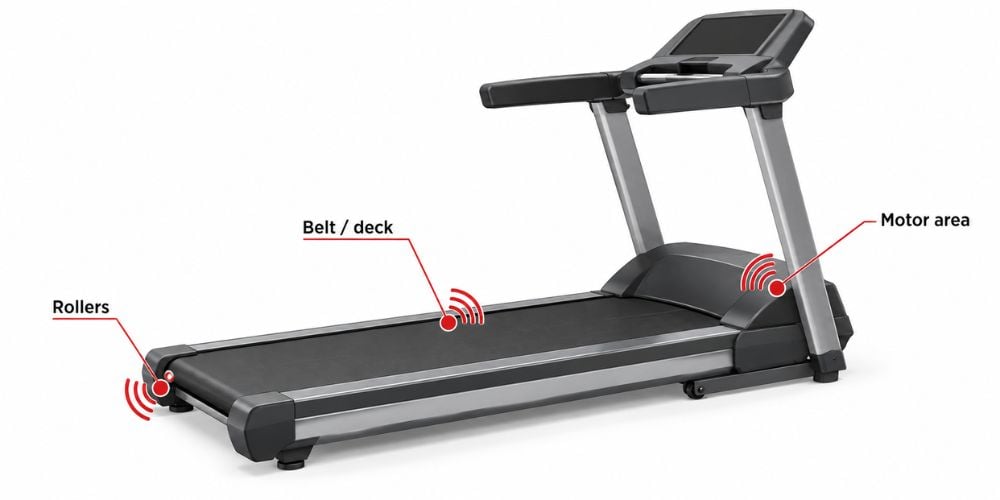
Run the treadmill at a slow walking speed and listen around the:
- Walking belt
- Front roller
- Rear roller
- Side of the belt
- Frame
- Motor area
Also notice when the sound appears.
Does it squeak while running empty? The noise may be coming from a moving mechanical part.
Does it only squeak when you step on it? Belt-to-deck friction or movement in the frame may be more likely.
I always start here because locating the noise can save you from adjusting parts that are already working properly.
2. Lubricate the Walking Belt
A dry belt can create extra friction against the deck.
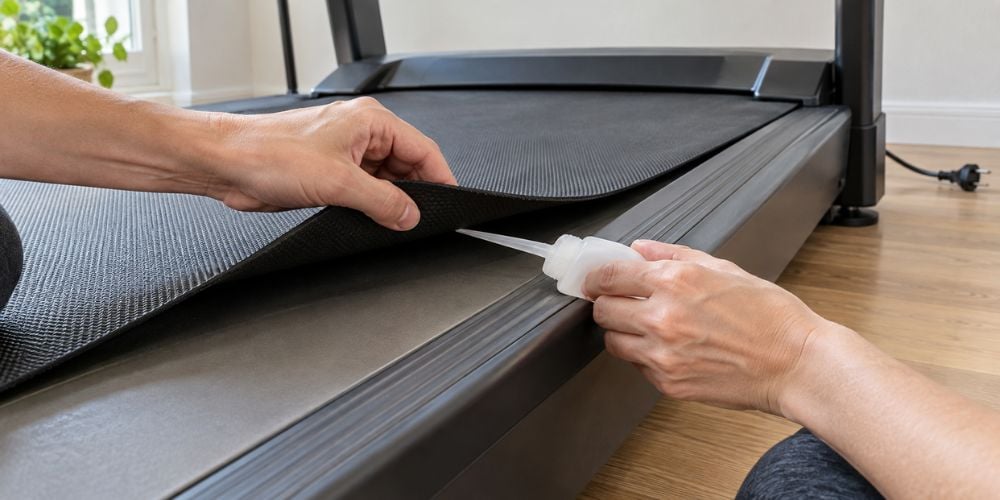
Turn off the treadmill and unplug it. Lift the side of the belt slightly and check whether the deck feels dry.
If your treadmill requires lubrication:
- Unplug the treadmill.
- Lift the walking belt slightly.
- Apply the recommended lubricant underneath.
- Spread it across the deck as instructed.
- Return the belt to position.
- Run the treadmill slowly to distribute the lubricant.
Many treadmills use silicone-based lubricant, but always check your manufacturer’s instructions first.
Important: Some belts are pre-waxed or use a different maintenance system. Do not automatically add lubricant just because you hear a squeak.
If the noise disappears after lubrication, friction between the belt and deck was likely the problem.
3. Check the Walking Belt Tension
What if lubrication does not help?
Check the belt tension next.
A belt that is too loose may slip or move unevenly. On the other hand, a belt that is too tight can put extra stress on rollers and other treadmill components.
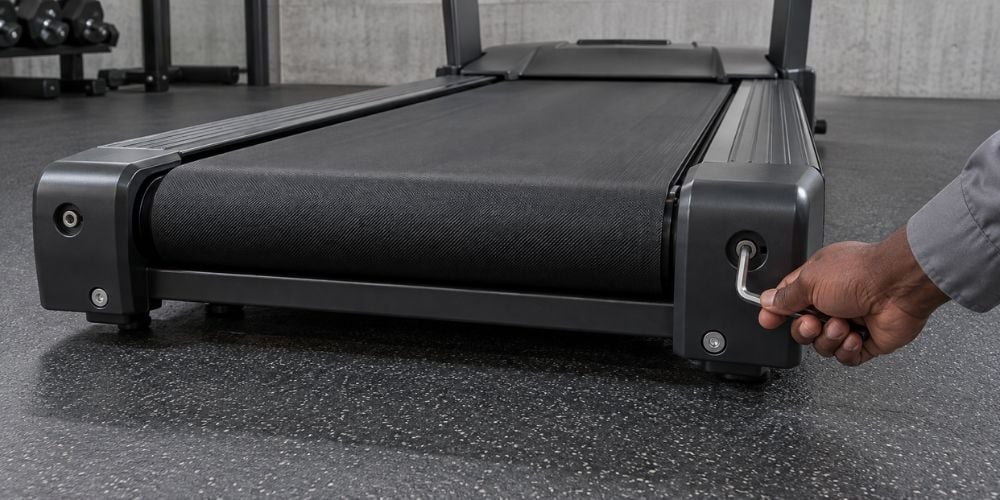
Look for the adjustment bolts near the rear roller if your treadmill allows belt-tension adjustments.
Make small changes rather than large turns. Horizon recommends adjustments of around ¼ to ½ turn at a time, while its treadmill tensioning instructions specifically warn against over-tightening.
When tightening the belt, adjust both sides evenly.
I often see people tighten a belt too much because they assume tighter means better. It doesn’t.
Make one small adjustment, test the treadmill, and repeat only when necessary.
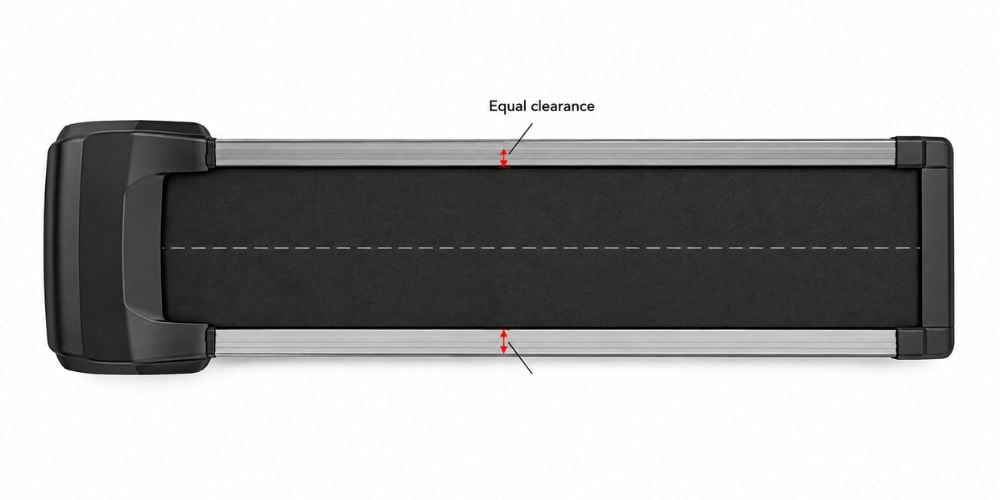
4. Center the Walking Belt
Stand behind your treadmill and look at the belt.
Is it sitting evenly between both sides?
If the belt has shifted left or right, its edge may rub against the treadmill and create a squeaking or rubbing sound.
Use the rear roller adjustment bolts according to your treadmill manual. Again, make very small changes.
Horizon advises keeping the treadmill at no more than 1 mph during its belt-centering procedure. It also warns you to keep your fingers, hair, and clothing away from the moving belt.
After adjusting it, let the treadmill run briefly.
Watch the belt. If it stays near the center instead of slowly drifting toward one side, the alignment is likely better.
Belt Problem or Something Else?
This quick comparison can help before you make another adjustment.
What You Notice | Likely Area to Check | What to Do |
Belt slips under your foot | Belt tension | Tighten gradually |
Belt drifts left or right | Belt alignment | Recenter it |
Belt feels dry underneath | Belt/deck lubrication | Check lubrication requirements |
Belt edge rubs the side | Alignment | Center the belt |
Noise remains after belt adjustments | Rollers, frame, or drive system | Continue troubleshooting |
Belt is frayed, ripped, or badly worn | Belt condition | Consider replacement/service |
Do not keep tightening or centering the belt if the noise clearly comes from somewhere else.
5. Tighten Loose Bolts and Screws
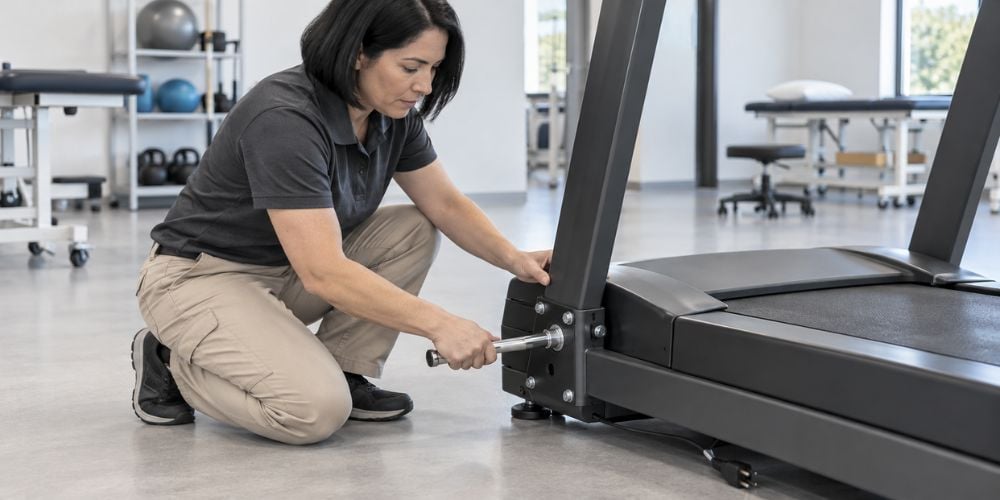
Your treadmill has repeated impact every time you walk or run. That vibration can gradually loosen hardware.
Turn off and unplug the treadmill, then check:
- Handrail bolts
- Uprights
- Console supports
- Frame joints
- Motor cover
- Deck area
- Roller mounting points
Tighten anything that is clearly loose, but do not force bolts that already feel secure.
Pay particular attention to frame connections.
A loose joint may stay quiet while the treadmill runs empty, then squeak each time your weight shifts from one foot to the other.
This is one reason I like comparing the sound both with and without someone standing on the treadmill.
If repeated squeaks and vibration are making you question the construction of your current machine, take a look at our commercial treadmill designs from YR Fitness. We build our cardio equipment for frequent use, with attention to the frame, running system, and mechanical components that need to work together day after day.
6. Check the Front and Rear Rollers
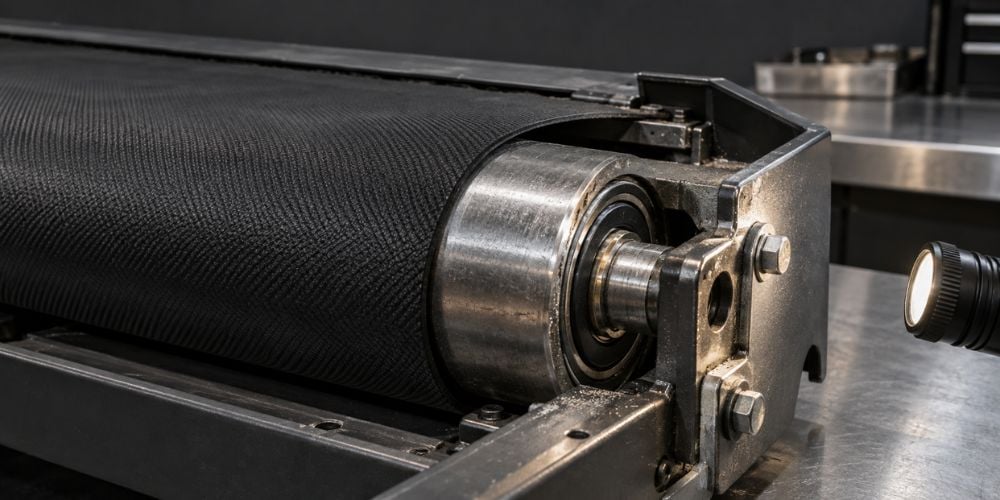
The walking belt travels around rollers at both ends of the treadmill.
If the noise seems strongest at the front or rear, inspect these areas more closely.
Look and listen for:
- Dirt around the rollers
- Uneven belt movement
- Worn bearings
- Damaged rollers
Dirt and loose debris may simply need to be removed.
A damaged roller or worn bearing is different. In that case, adding more belt lubricant will not solve the underlying problem.
Hearing grinding rather than squeaking?
That is a good reason to stop using the treadmill until you know what is causing it. A failing bearing or damaged rotating part may require replacement.
7. Inspect the Drive Belt and Motor Area
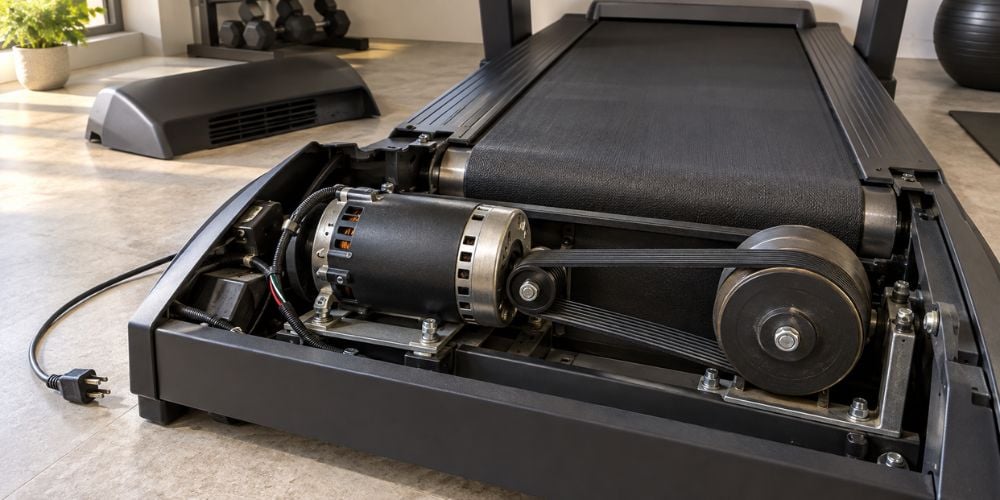
If the squeak comes from underneath the front cover, the walking belt may not be the problem.
Possible sources include:
- Drive belt
- Motor pulley
- Front roller
- Motor mounting points
Unplug the treadmill before removing the motor cover.
Once the power is disconnected, check whether the drive belt looks:
- Loose
- Cracked
- Frayed
- Badly worn
Also look for parts rubbing against each other.
Do not start changing motor settings or electrical components just because you hear a squeak. Mechanical inspection is one thing; electrical repair is another.
Stop here if you see damaged wiring, burnt components, severe belt wear, or anything you are unsure how to adjust.
Motor and electrical repairs are better handled by a qualified treadmill technician.
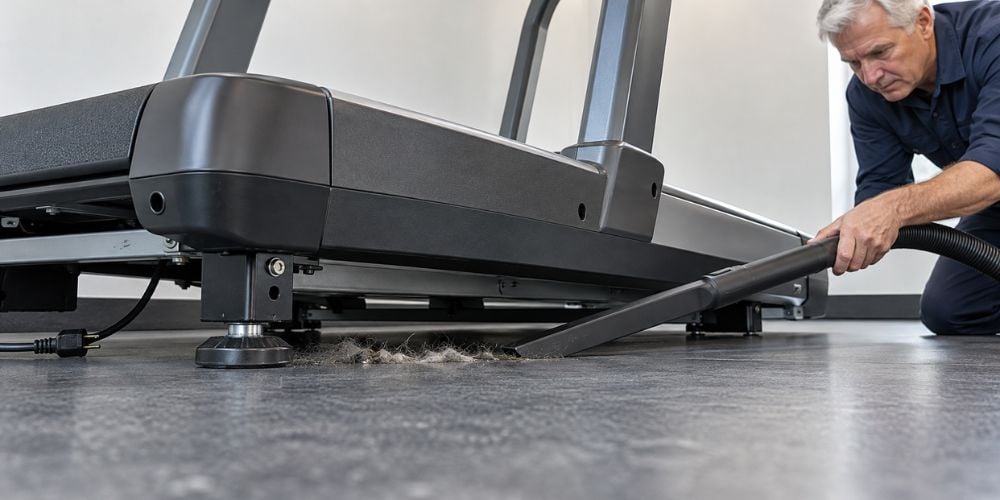
8. Clean Under and Around the Treadmill
Could dirt really cause that much noise?
Sometimes, yes.
Dust, hair, fibers, and small pieces of debris can collect underneath the treadmill and around moving parts.
Turn off and unplug the treadmill, then:
- Vacuum underneath it.
- Clean around the rear roller.
- Remove debris near the belt.
- Clear dust from accessible motor vents.
- Wipe the frame with a soft cloth.
- Check underneath for trapped objects.
Be careful with water around the running belt and electronics.
Finally, check whether the treadmill sits firmly on the floor.
If one corner rocks when you step on the machine, that movement may cause frame joints or floor-contact points to squeak. Adjust the leveling feet if your treadmill has them.
Conclusion
Most treadmill squeaks come from poor lubrication, incorrect belt tension, misalignment, loose hardware, dirty rollers, or worn drive components. Start with the easy checks and work through them one at a time.
Do not adjust several things at once. If the sound disappears, you want to know which fix actually solved it.
If your current treadmill keeps developing mechanical problems and you are ready to compare a more durable option, explore the treadmill range from YR Fitness.
Related articles: